
⚡ Quick Summary — Skip the Long Read
The FlexiSpot E7 Pro is one of the best electric standing desks for tall users and home office setups. With exceptional stability at max height, a 440 lb load capacity, smooth dual-motor lifting, and excellent cable management — it's my daily desk after 2+ years and still my top pick for reducing back pain while working from home.
Affiliate link · No extra cost to you
If you're looking for the best standing desk for your home office, the FlexiSpot E7 Pro is one of the top-rated electric standing desks available right now. I've been using this desk every single day for two years — so this is my honest review from real, daily experience. Not specs from a box. Not a 2-week test. Two full years.
Contents
- 1 Why I Chose the FlexiSpot E7 Pro Standing Desk
- 2 FlexiSpot E7 Pro — Features and Specs
- 3 My Unboxing & Assembly Experience
- 4 Pros & Cons for FlexiSpot E7 Pro Standing Desk
- 5 Who Should (and Shouldn't) Buy the FlexiSpot E7 Pro
- 6 FlexiSpot E7 Pro Features I Found Most Useful
- 7 Frequently Asked Questions About FlexiSpot E7 Pro
- 8 Final Verdict: Should You Buy the FlexiSpot E7 Pro?
Why I Chose the FlexiSpot E7 Pro Standing Desk
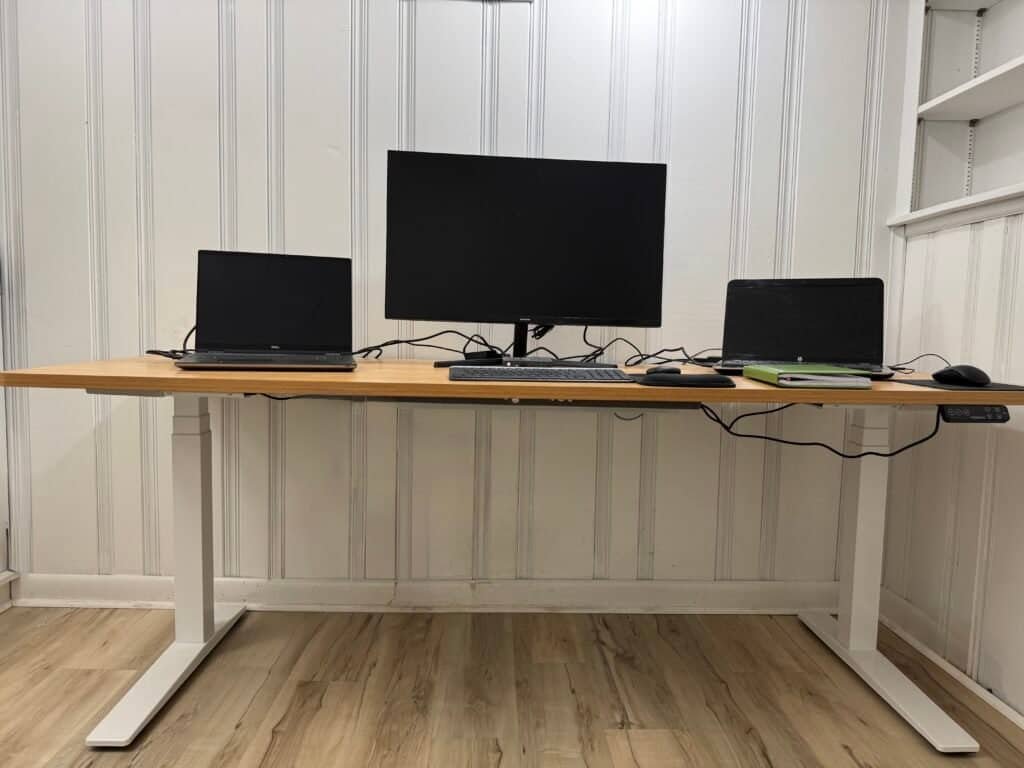
I work from home full-time as a software engineer — long hours, multiple laptops, a 32" monitor, and a job that keeps me at my desk for most of the day. I also deal with chronic lower-back pain. My physical therapist recommended switching between sitting and standing throughout the day, which is what pushed me toward a standing desk in the first place.
I'm 6'1" — so I needed a desk with a higher maximum height, real stability at that height, and enough surface space for my full setup. After researching for weeks, the E7 Pro checked every box. Two years later, I can tell you whether it actually delivered.
The FlexiSpot E7 sit-stand desk comes in two versions: the FlexiSpot E7 Standard and the FlexiSpot E7 Pro. Both are solid, but this review focuses entirely on the E7 Pro — the model I personally own and use daily. For a full comparison of the top options, check my main guide: Best Electric Standing Desks 2026 →
FlexiSpot E7 Pro — Features and Specs
FlexiSpot E7 Pro
Electric sit-stand desk with the highest weight capacity and tallest max height in its price range. Built for tall users and heavy setups.
Affiliate link · No extra cost to you
My Unboxing & Assembly Experience
The desk arrived in two boxes — one for the frame, one for the desktop. The hardware came in labeled bags with screws and bolts clearly marked with letters, which made the whole process easier than I expected.
There are predrilled holes in the desktop so you can attach the frame using the included multi-use wrench — hex head on two sides, Philips on the other. No power drill needed.
I got the largest bamboo desktop — 78"x30" — and I was genuinely impressed with the build quality. Solid, smooth, and well-finished. The assembly itself was a bit challenging on my own, but straightforward once you follow the steps. The frame is heavy solid steel, and once I attached the desktop, I definitely needed a second person to help flip the desk upright safely.
💡 Assembly Tip
Have a second person available before you start — especially for larger desktop sizes. The frame is solid steel and heavy. Budget 45–60 minutes for the full setup.
Ready to order the FlexiSpot E7 Pro?
Check current pricing and available desktop sizes on FlexiSpot's site.
Pros & Cons for FlexiSpot E7 Pro Standing Desk
✅ Pros
⚠️ Cons
Who Should (and Shouldn't) Buy the FlexiSpot E7 Pro
✅ Buy the FlexiSpot E7 Pro if:
⚠️ Consider another model if:
For a side-by-side comparison of top desks: Top Picks for Electric Standing Desks 2026 →
For back-pain focused tips: Do Standing Desks Help with Back Pain? →
Affiliate link · No extra cost to you
FlexiSpot E7 Pro Features I Found Most Useful
1. Stability & Build Quality
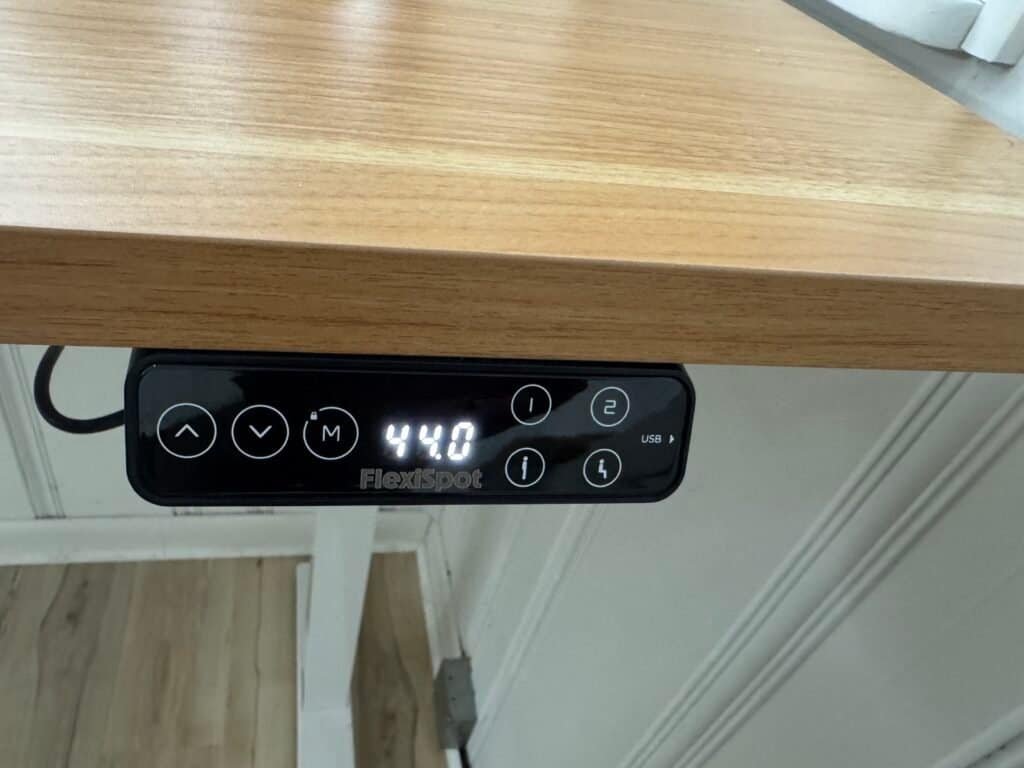
I use the desk at 44" height when standing — that's near the top of the range for someone my height. Even at full extension, the desk doesn't wobble. Not a millimeter. The C-frame design with thick carbon steel legs is what makes this possible, and it's one of the biggest reasons I'd recommend this desk over cheaper options. The C-frame also gives you solid legroom underneath, which matters when you're standing for long stretches.
2. 440 lb Weight Capacity
My setup: 32" monitor, two laptops, a USB hub, keyboard, mouse, and various peripherals. The E7 Pro handles all of it without any strain — lift stays smooth and quiet at every adjustment. The 440 lb capacity is the highest I've seen at this price point, which is why I chose it over the standard E7 for my heavy setup.
3. Cable Management
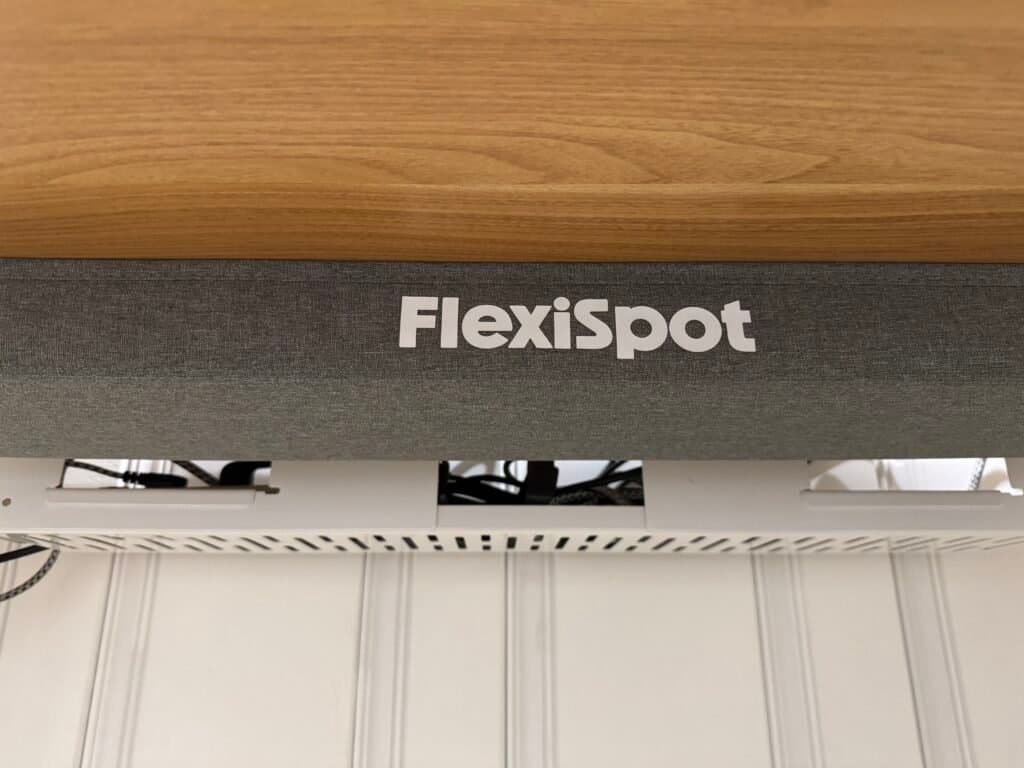
This is honestly one of my favorite things about the E7 Pro. The Pro version includes:
- Extended cable management tray — sits underneath the desktop and hides all your cables from view
- Magnetic fabric cover — snaps over the tray so you see almost nothing underneath
- Result — a clean desk surface with barely a visible wire. Even on a 78" desktop with multiple devices, everything looks organized
4. Touch Keypad Controls
The keypad is simple but well-designed. What I use daily:
- Height memory presets — I have my sitting height and standing height saved. One button press and the desk moves automatically. I can't overstate how much this improves the habit of actually standing
- Built-in USB charging port — small but genuinely useful for charging a phone or device without reaching for a separate hub
- Child lock — useful if you have kids around the desk
🧩 Complete Your Setup
One thing I added after the desk that made a real difference — a proper standing mat. I now use the Ergodriven Topo every day with this desk and it genuinely extended how long I can stand comfortably.
Read my Topo mat review — 3 weeks of daily use →Impressed by the features?
Check current pricing and all desktop size options at FlexiSpot.
Frequently Asked Questions About FlexiSpot E7 Pro
Is the FlexiSpot E7 Pro worth the extra cost?
Yes — if you need the higher maximum height, greater weight capacity, and built-in cable management. The E7 Pro is worth the upgrade compared to lower-tier models. If you're a taller user or run a heavy setup, the difference is significant. If you only use a single laptop and don't need the extra capacity, the E7 Standard saves you money without sacrificing much.
Does the FlexiSpot E7 Pro help with back pain?
It helped me reduce lower-back discomfort significantly — because I can switch between sitting and standing throughout the day, which is the core ergonomic recommendation. The Mayo Clinic points out that prolonged sitting is linked to increased back pain, stiffness, and higher long-term health risks. That's one of the main reasons I switched to a sit-stand desk. Read the Mayo Clinic article →
Do Standing Desks Help with Back Pain? Full guide →How long does it take to assemble the FlexiSpot E7 Pro?
For a medium desktop, expect 30–60 minutes. For very large tops like the 78"x30" I got, allow extra time and make sure you have a second person available — you'll need help flipping the desk upright once the frame is attached to the desktop. The instructions are clear and screws are labeled, so the process is straightforward even if the time investment is real.
What warranty does it come with?
15-year coverage on the desk frame and motor — one of the best warranties in this category. Always verify current warranty terms directly with FlexiSpot before purchasing, as terms can change.
How does the E7 Pro compare to the E7 Standard?
The main differences are weight capacity (440 lbs Pro vs 275 lbs Standard), the extended cable management system with magnetic cover (Pro only), and a slightly higher price on the Pro. If you have a heavy multi-device setup or need the cable tray, the Pro is worth it. If you're running a single laptop on a smaller desktop, the Standard does the job for less.
See full comparison of all standing desks →Where can I buy the FlexiSpot E7 Pro?
The best place is directly through FlexiSpot's official site — they run sales regularly and you get the full warranty protection. You can also check Amazon for availability, though pricing and stock can vary.
FlexiSpot E7 Pro — Check current price →Final Verdict: Should You Buy the FlexiSpot E7 Pro?
After using the E7 Pro every single day for two years, I can say this is one of the best upgrades I've made to my home office — especially as a tall person dealing with lower-back pain. The stability at max height, the height range, and the cable management design all set it apart from most desks at this price point.
If you want a desk that feels genuinely solid, supports a heavy setup, and is built to last — the FlexiSpot E7 Pro is absolutely worth it.
If you don't need the higher height range or 440 lb capacity, the standard E7 is a great and more affordable alternative. And if you're deciding between the E7 Pro and the UPLIFT V3, check my full comparison post →
FlexiSpot E7 Pro — Still My #1 Recommendation
Best max height · Best weight capacity · Best cable management at this price range. If you're tall, run a heavy setup, or deal with back pain — this is the desk I'd tell you to get.
Affiliate link disclosed · No extra cost to you