
Contents
- 1 My 2-Year Hands-On Experience Using the FlexiSpot E7 Pro at my Home Office
- 2 Why I chose the FlexiSpot E7 Pro
- 3 FlexiSpot E7 Pro – Features and Specs
- 4 My Unboxing & Assembly Experience
- 5 Pros & Cons for FlexiSpot E7 Pro
- 6 Who should (and shouldn’t) buy the FlexiSpot E7 Pro
- 7 FlexiSpot E7 Pro Features I Found Most Useful
- 8 Frequently Asked Questions About FlexiSpot E7 Pro
- 9 Final Verdict: Should You Buy the FlexiSpot E7 Pro?
My 2-Year Hands-On Experience Using the FlexiSpot E7 Pro at my Home Office
Why I chose the FlexiSpot E7 Pro
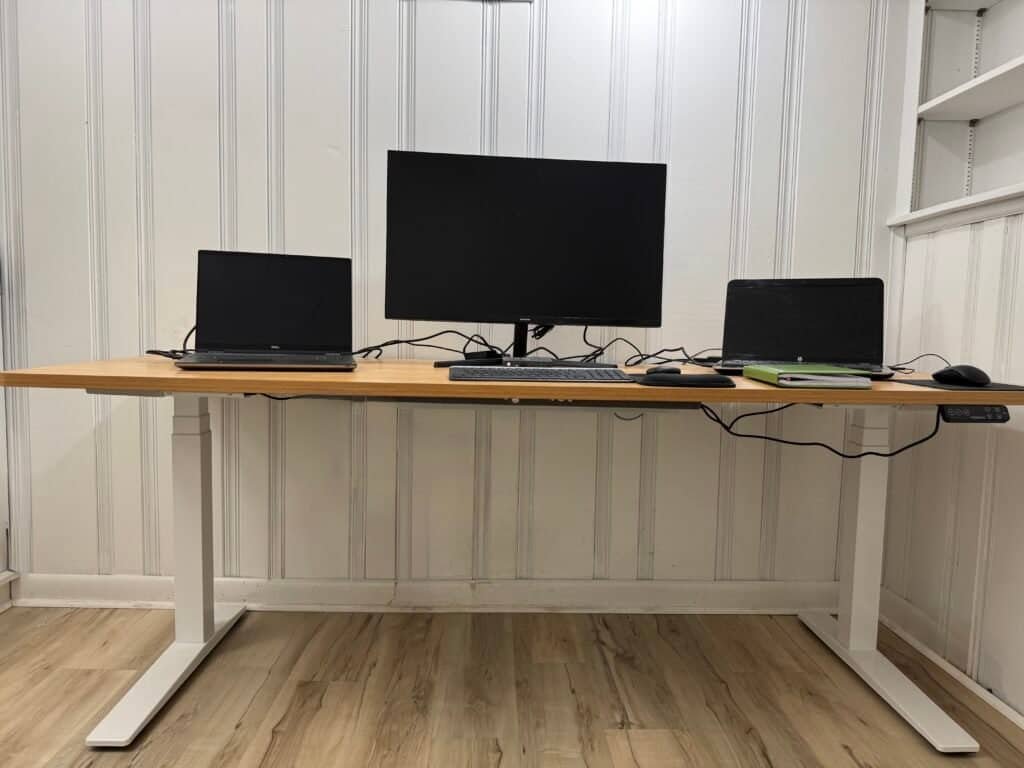
I work from home full-time as a software engineer, so I spend long hours at my desk. I also deal with chronic lower-back pain — my physical therapist recommended switching between sitting and standing while I’m working. I’m 6’1″, so I needed a desk with a higher height range, strong stability, and enough space for multiple laptops and a large 32-inch monitor. After two years of daily use, I’ll share why the FlexiSpot E7 Pro model is a great choice and a game-changer for me or anyone dealing with chronic lower-back pain and looking to reduce discomfort while working from home, spending a long time at the desk, either sitting or standing. And actually, I often use a standing mode during the meetings. The Flexispot E7 sit-stand desk comes in two versions: the FlexiSpot E7 Standard and the FlexiSpot E7 Pro. Both are great, but this review focuses on the FlexiSpot E7 Pro model, which I personally own and use daily. For a quick comparison with other models, check my main guide: Best Electric Standing Desks 2026FlexiSpot E7 Pro – Features and Specs
| Feature | FlexiSpot E7 Pro |
|---|---|
| Options | Frame Only & With Desktop |
| Adjustable Height Range (Without Desktop) | 25.0" - 50.6" inches , 3-stage legs |
| Desktop Size | 48''X24'' | 55''X28'' | 60''X30'' | 72''X30'' | 78''X30'' inches |
| Desktop Shape | Rectangle , Curved |
| Max Static Load | 440 lbs |
| Frame Style | C-Frame giving extra leg room and space for storage. |
| Frame Build | Reinforced Steel Frame |
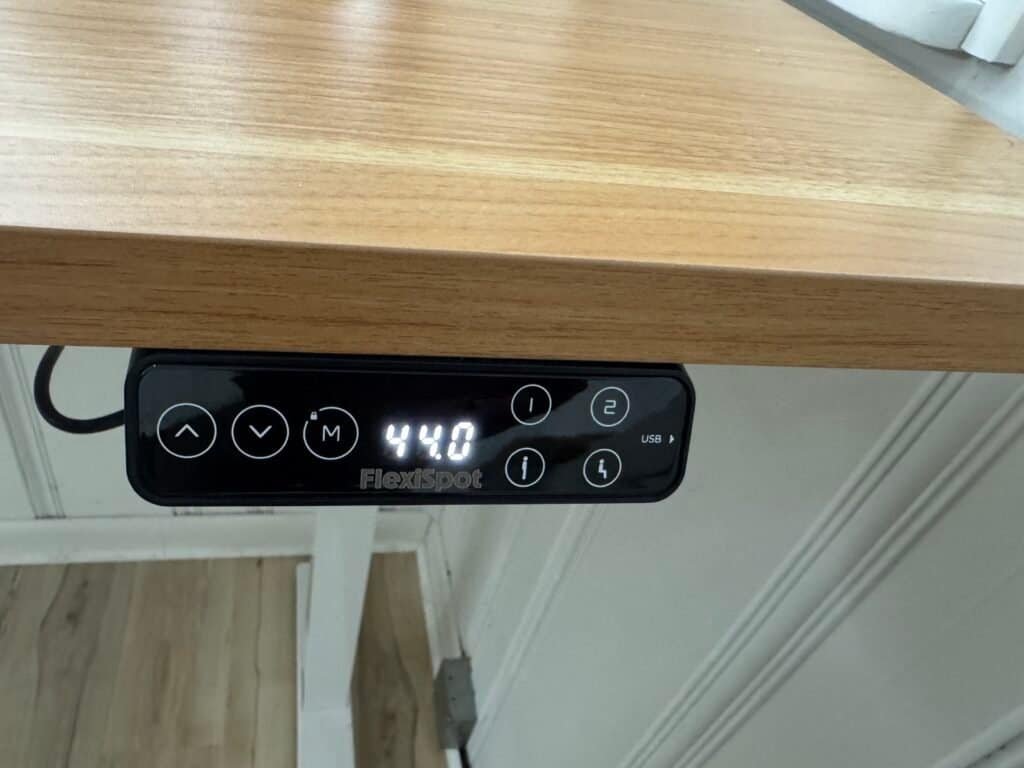
| Keypad | 4 programmable memory presets & USB Charging Port & Child lock |
| Adjustment Speed | 1.57 inches per second |
| Motor | Dual Electric with stronger stability at max height |
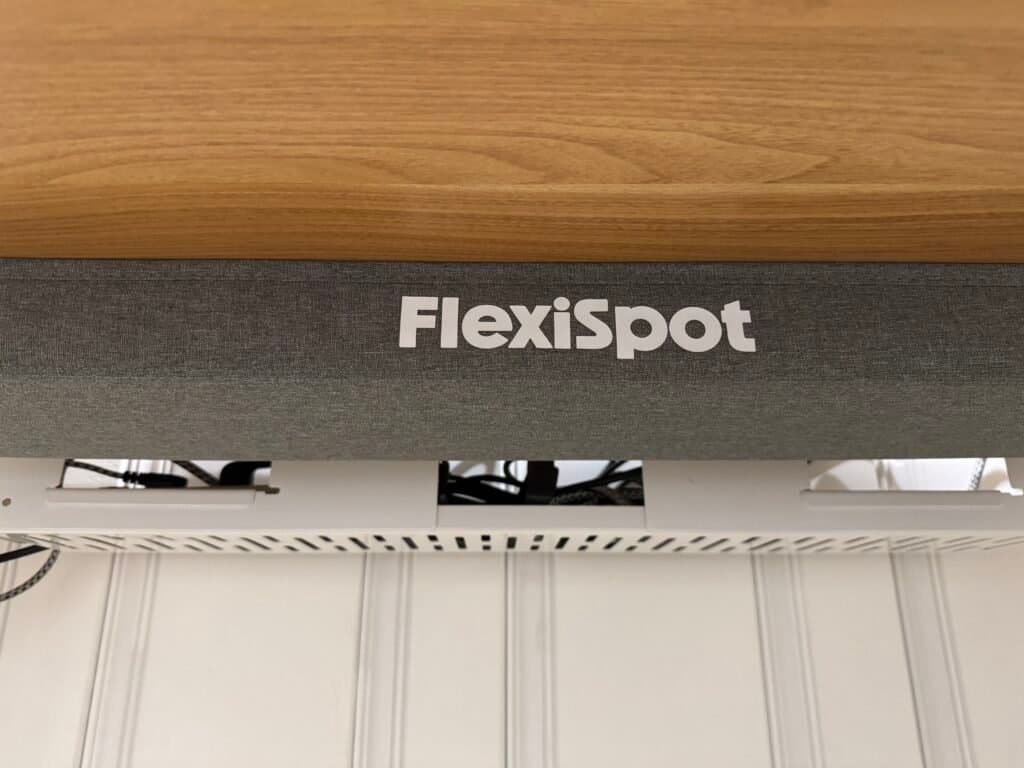
| Cable Management | Extended Cable Management Tray & magnetic fabric cable cover & clips |
| Best For | Tall users, heavy setups, and max stability |
| Frame Color | White | Grey | Black |
| Desktop Materials | Bamboo | Solid Wood | Chipboard | Fiberboard |
| Accessories | Casters | Drawers | CPU Holder | Clamp Power Strip |
| Others | Anti-Collision technology automatically stops and retracts when obstacles are detected. |
| Personal desktop size I used | 78" × 30" Bamboo |
| Noise Level | 50 dB |
| Price |
| Product | FlexiSpot E7 Standard | FlexiSpot E7 PRO | |
|---|---|---|---|
| Options | Frame Only & With Desktop | ||
| Adjustable Height Range (Without Desktop) | 22.8" - 48.4" inches , 3-stage legs | 25.0" - 50.6" inches , 3-stage legs | |
| Desktop Size | 48''X24'' | 55''X28'' | 60''X30'' | 72''X30'' | 78''X30'' inches | ||
| Desktop Shape | Rectangle , Curved | ||
| Max Static Load | 355 lbs | 440 lbs | |
| Frame Style | T-Frame and C-Frame options | C-Frame | |
| Frame Build | Solid Carbon-Steel Structure | Reinforced Steel Frame | |
| Keypad | 4 programmable memory presets & USB Charging Port & Child lock | ||
| Adjustment Speed | 1.5 inches per second | 1.57 inches per second | |
| Motor | Dual Electric | Dual Electric with stronger stability at max height | |
| Cable Management | Cable Tray | Extended Cable Management Tray & magnetic fabric cable cover & clips | |
| Best For | Most users | Tall users, heavy setups, and max stability | |
| Frame Color | White | Grey | Black | ||
| Desktop Materials | Bamboo | Solid Wood | Chipboard | Fiberboard | ||
| Accessories | Casters | Drawers | CPU Holder | Clamp Power Strip | ||
| Noise Level | 50 dB | ||
| Others | |||
My Unboxing & Assembly Experience
The desk arrived in two boxes, one for the frame and the other for the desktop.
The hardware came in labeled bags, and all screws and bolts were clearly labeled with letters, which made the assembly process easier.
There are predrilled holes in the desktop so you can attach the frame with a multi-use wrench that has a hex head opening on two sides and a Philips head on the other, and you don’t need to use a power drill. I got the biggest bamboo desktop size 78″x30″, and I was really impressed with the build quality, how solid and smooth, The assembly was a bit challenging on my own. But in general, it’s straightforward to assemble.
The frame is also heavy because it’s solid steel, and once I attached the desktop, I definitely needed a second person to help flip the desk upright safely.
Pros & Cons for FlexiSpot E7 Pro
Pros
Cons
- Excellent height range (25″–50.6″) — ideal for tall users.
- 440 lb max load capacity.
- Solid Seamless Desktop
- Cable management system and large metal tray.
- Smooth and quiet lifting motors
- Wide range options for desktop size
- May require two people for assembly and lift it.
- Large sizes require more space (I’d recommend minimum 8′ by 8′ room)
Who should (and shouldn’t) buy the FlexiSpot E7 Pro
Buy the FlexiSpot E7 Pro if:
- You’re tall (5’11” and above) and need an extra height range.
- You run multiple monitors or laptops and need high load capacity.
- You want organized and hidden cable management, which I see is out of the box.
- You want a long warranty and a durable steel frame.
Consider the FlexiSpot E7 standard or another model if:
- You’re on a tight budget and don’t need the 440 lb capacity.
- You only use a single laptop and want the lowest possible price.
- Your workspace is small, and you prefer a compact desktop(the Pro works best with medium or larger tops).
FlexiSpot E7 Pro Features I Found Most Useful
1. Stability & Build Quality
I personally use the desk at 44″ height when standing, and the desk doesn’t wobble, even at full height — a huge benefit for tall users like me. The frame uses thick carbon steel and a C-frame design that gives you more legroom underneath.
2. 440 lb Weight Capacity
The FlexiSpot E7 Pro easily supports my 32-inch monitor, two laptops, and all my accessories with no issue, and the lift remains smooth and quiet.
3. Cable Management
This is one of my favorite features. The Pro version has:
- Extended cable management tray.
- Magnetic fabric cover.
- This creates a clean look with almost no visible wires.
4. Touch Keypad Controls
- USB charging port.
- Height memory presets.
- Child lock for safety.
Frequently Asked Questions About FlexiSpot E7 Pro
Is the FlexiSpot E7 Pro worth the extra cost?
Does the FlexiSpot E7 Pro help with back pain?
It helped me reduce lower-back discomfort because I can switch between sitting and standing throughout the day (a common ergonomic recommendation).
Mayo Clinic points out that prolonged sitting is linked to increased back pain, stiffness, and higher long-term health risks, which is one reason I switched to a sit-stand desk. Read Mayo Clinic Article
How long does it take to assemble the FlexiSpot E7 Pro?
For a medium desktop, expect ~30–60 minutes. For very large tops (78″x30″), allow extra time and a second person to lift and flip the desk safely.
What warranty does it come with?
15-year coverage on the desk frame and motor. (Always verify warranty terms with the seller before purchase.)
Final Verdict: Should You Buy the FlexiSpot E7 Pro?
After using the E7 Pro every day for two years, I think this is one of the best upgrades I made to my home office—especially as a tall person dealing with lower-back pain. Its stability, height range, and cable-management design set it apart from most desks in its price range.
If you want a desk that feels solid, supports a heavy setup, the FlexiSpot E7 Pro is absolutely worth it.
If you don’t need the higher height range or 440 lb capacity, the standard E7 is a great alternative.
If you want to check current pricing or available desktop sizes, you can view the FlexiSpot E7 Pro on the official FlexiSpot site.
.